Messages: Please use the inbrite.com forum for our discussions & Q&A.

News: It is reported that iTunes 9 is compatible with jailbroked iPhones... Now I got an iPhone 3GS. I will be posting something about it...

Sponsors links:

Showing posts with label Mac. Show all posts

Sunday, February 18, 2007

Flasher for Linux/Mac

Flasher for Linux/Mac
for Motorola P2K phones
I would like to introduce this Flasher program for Linux/Mac to you. It is reported working for V360.

Download and details at:

moto4lin.sourceforge.net

Sponsors links:

Saturday, September 16, 2006

SMS & Call on a Mac via bluetooth

SMS & Call on a Mac via bluetooth
with your bluetooth phone
When you are facing your Mac, have you ever thought that you could read & reply a SMS or dial/receive a call, while your mobile phone is in another room? With the software BluePhoneElite, you can achieve it.

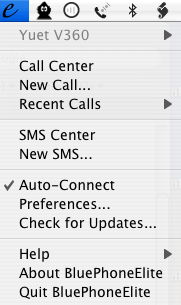
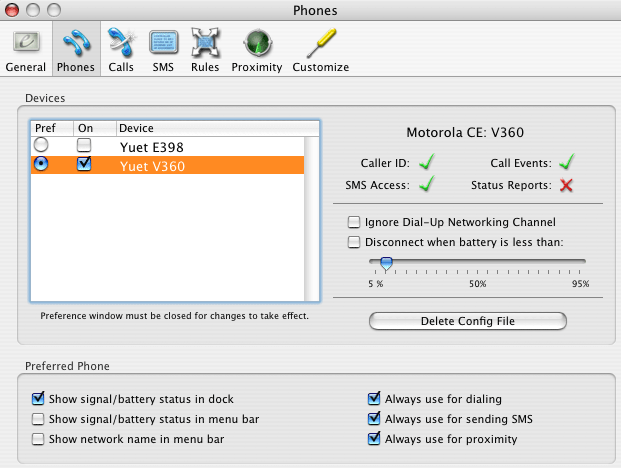
Some screenshots of BluePhoneElite:
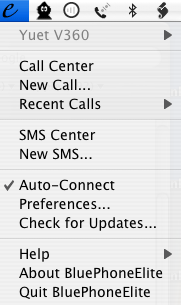
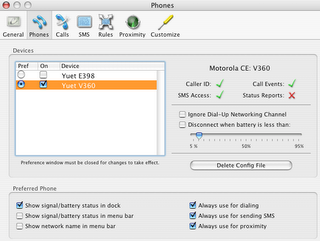


Features:

Call Features
Dial and answer calls from your desktop
(speakerphone functionality is not yet available)
Log calls with time, duration, caller and notes
Display caller ID using your phone's phone book or Apple's Address Book
Pause iTunes and DVD Player or set iChat away message when a call is in progress
Customize a variety of visual and aural call notifications
Export calls to iCal, Address Book or external files
Trigger AppleScripts for different call events
SMS Features
Send and receive messages using email-style SMS Center or SMS Chat
Archive SMS to disk using hierarchical folders
Pop-up incoming SMS on-screen
Export SMS to iCal, Address Book or external files
Trigger AppleScripts for different SMS events
Other Features
Proximity detection controls iTunes, iChat, DVD Player and the screen saver
Display battery and signal strength, power source and network name in the menu bar
Power saving option disconnects phones when power is running low
Customizable interface options like dock visibility, menu bar visibility and font sizes
Localization: Brazilian Portuguese, Chinese (Simplified and Traditional), Czech, Danish, Dutch, English (US, Australian, Canadian and UK), Finnish, French, German, Hungarian, Indonesian, Italian, Japanese, Norwegian, Polish, Portuguese, Spanish, Swedish, Thai and Turkish

It is very easy to use. What you need to do is to set up your bluetooth phone following the steps in this post. After that, your phone should be detected by BluePhoneElite. I have tested it with both my Motorola E398 and V360. Both of these phones work very well with this software.

BluePhoneElite is a shareware. The trial copy can only be used for 10 days. You need to register if you want to continue to use it after 10 days. I know a trick which can reset the day count, so you can continue to use the trial copy. However, I think it is not good to disclose this trick to the public.

Google "BluePhoneElite" to find more details and download.

Sponsors links:

Thursday, September 14, 2006

Set up bluetooth mobile phone on Mac

Set up your motorola phone as bluetooth device on Mac
Here are the steps to set up your bluetooth phone with your Mac, to transfer contacts/events with iSync and to access internet using your phone as bluetooth modem.

Steps:

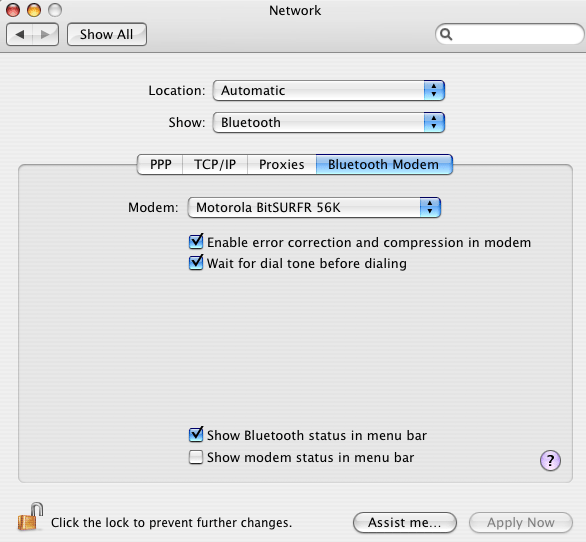
1. You should see a bluetooth icon in the menu bar. If not, go to screen "system preference" -> "network" -> "Bluetooth" -> "Bluetooth Modem", check the option "Show Bluetooth status in menu bar".

2. Click the bluetooth icon and select "Set up bluetooth device ..."


3. Click "Continue"


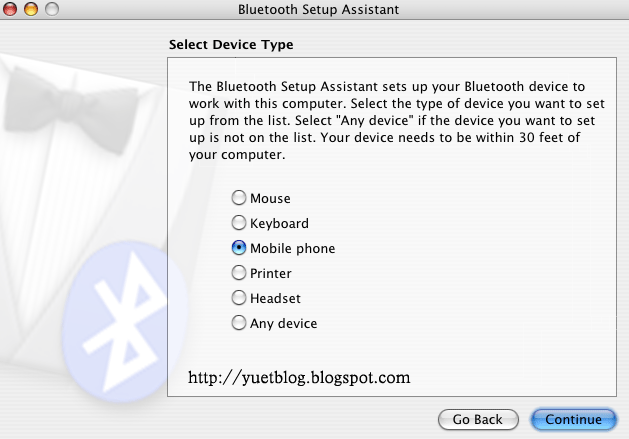
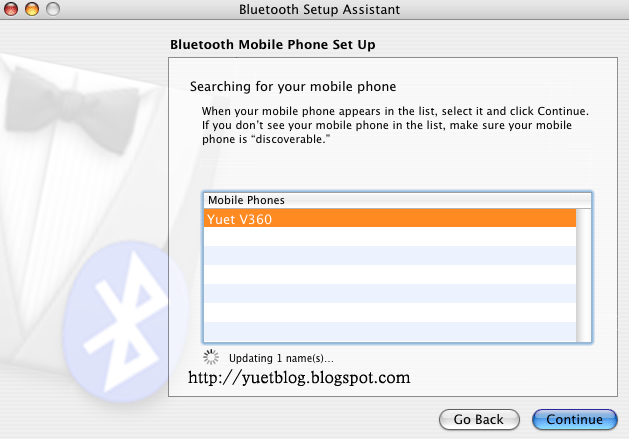
4. Select "Mobile phone", then click "Continue"; At your motorola phone, go to menu Connection->Bluetooth Link->Setup, select "Find me". After a few seconds, the Mac should detect your phone.


5. Select the detected device, then click "Continue"


6. Click "Continue"


7. Your phone will prompt you whether to bond with your Mac, select "Yes", then key in the passkey, as shown on your Mac.


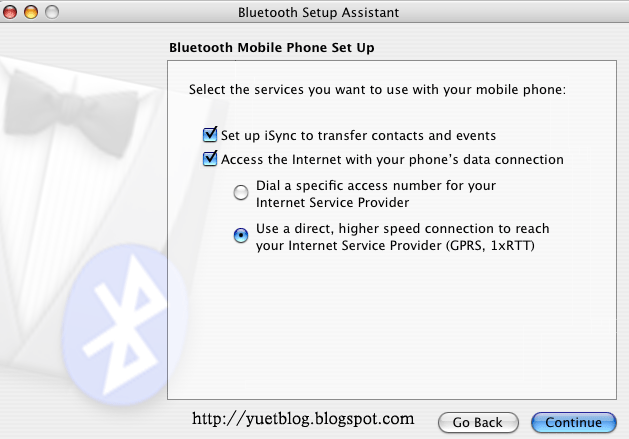
8. Select the services you want, then click "Continue"


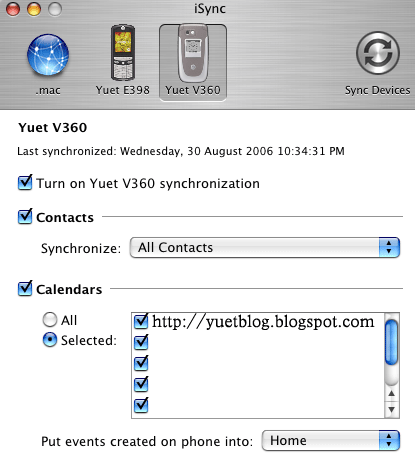
9. If you selected "access internet with your phone ...", your Mac will prompt you to enter username, password and GPRS CID String. Find out such info from your network provider and input as instructed. GPRS CID String is the dialing string. Normally it is something like "*99#". (The one shown in the screenshot is not correct.) After that, click "Continue". If you selected "set up iSync to transfer contacts and events", iSync window will be open showing that your phone is added.


10. Setup is completed.

Sponsors links:

Saturday, August 12, 2006

Make your phone a bluetooth hard disk

Make your phone a bluetooth hard disk
with a Mac
Mac has very good support of bluetooth devices. It is extremely easy to transfer files between a Mac and a Motorola bluetooth phone. In this post I will show you how I use my V360 as a bluetooth hard disk, with flip closed.

Steps:

1. If bluetooth power is always on at your phone, skip this step. Otherwise, follow my YuetMod's flip-close operation to turn on the bluetooth power.

2. You should see a bluetooth icon in the menu bar. If not, go to screen "system preference" -> "network" -> "Bluetooth" -> "Bluetooth Modem", check the option "Show Bluetooth status in menu bar".

screenshot:


3. Click on that bluetooth icon and select "Browse Device...". (Assume that you have already setup your bluetooth phone. If not, select "Setup bluetooth device" and follow the steps to set it up.

screenshot:


4. Select the bluetooth device, then click "Browse".

screenshot:


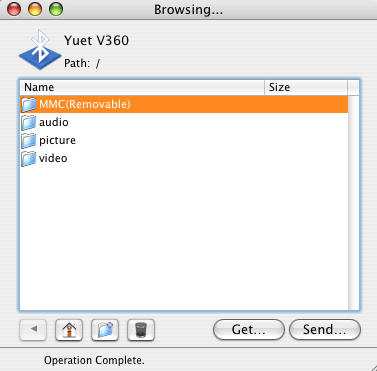
5. Now you can see the folders in your phone in the browsing window. In this screen you can browse/transfer/delete audio/picture/video in your phone memory and TF card. In TF card, you can also create folders and browse/transfer/delete any type of files.

screenshot:


I find this extremely convenient, because you don't need to touch a single button on your phone in the whole process. Your bluetooth phone is a perfect mobile wireless harddisk for small files, at least for Mac users. Enjoy it!

Sponsors links:

Friday, July 28, 2006

Mac tips

Tips for Mac OS X Tiger

Compress files into zip format
To create a compressed zip file, either Control-click on the selected files and choose "Create Archive", or select the files, then go to the Action menu and choose "Create Archive". It will create a zip file in the current location.

Keyboard shortcut to sleep the mac
Press Command-Option and then hold the Eject button for about 2 seconds.

Keyboard shortcuts for Screen Capture
1. Command-Shift-3: taking a screen capture of the entire screen
2. Command-Shift-4: you can choose which area of the screen you want to capture
3. Control-Command-Shift-3 (or 4): instead of creating a file on your desktop, it copies the capture into the Clipboard, so you can paste it.

Sponsors links:

Wednesday, July 26, 2006

V360 and iSync on Mac

How to make V360 work with iSync on Mac?
Lastest version of iSync should support V360 natively. However, if you are still using older version of iSync, you may not find V360 in the list of iSync-supported phones, although it can actually work well with V360. There is a way to make iSync recognize V360. What you need to do is to add a key for V360 in iSync's MetaClasses.plist file. The file is located in Contents/Plugins/ApplePhoneConduit.syncdevice/Contents/Plugins/
PhoneModelsSync.phoneplugin/Contents/Resources in the package contents of iSync. To show package contents, Ctrl+Click the iSync icon and select "Show Package Contents". To add the key for V360, simply insert the following text into the file.(Please replace all "[" with "<" and all "]" with ">".)

[key]com.motorola.V360[/key]
[dict]
[key]Identification[/key]
[dict]
[key]com.apple.cgmi+cgmm[/key]
[string]"Motorola CE, Copyright 2000"+V360[/string]
[key]com.apple.gmi+gmm[/key]
[string]"Motorola CE, Copyright 2000"+V360[/string]
[/dict]
[key]InheritsFrom[/key]
[array]
[string]com.motorola.switchable-usb-bt.0x22B8/0x4902[/string]
[/array]
[key]Services[/key]
[array]
[dict]
[key]ServiceName[/key]
[string]com.apple.model[/string]
[key]ServiceProperties[/key]
[dict]
[key]ModelName[/key]
[string]V360[/string]
[key]PhoneIcon[/key]
[string]MOTV360.tiff[/string]
[/dict]
[/dict]
[dict]
[key]ServiceName[/key]
[string]com.apple.synchro[/string]
[key]ServiceProperties[/key]
[dict]
[key]stringEncoding[/key]
[string]UCS2[/string]
[/dict]
[/dict]
[/array]
[/dict]

Sponsors links:

Friday, July 14, 2006

Moto4Lin for Mac

Moto4Lin
a P2K software for Mac
I would like to introduce to you this great P2K software. It is a must-have for modders using Mac. With this software, you can access the P2K file system in your motorola phone and edit SEEM.

Get [Moto4Lin]

How to install Moto4Lin on Mac OS X? Read [HOWTO on Mac OS X]

Download application package precompiled by me, which also fix the bug of download/upload of multiple files.
[inbrite.com] [filecloud]

Sponsors links:

Tuesday, July 11, 2006

Obfuscate midlet jar files on Mac

How do I obfuscate my midlet jar files on Mac?
download proguard @ http://proguard.sourceforge.net/

install proguard and change the midlet.pro configuration file as follows:
# define library jars
-libraryjars /System/Library/Frameworks/JavaVM.framework/Versions/ CurrentJDK/Classes/classes.jar
-libraryjars /Developer/Java/mpp-sdk/midp.jar
-libraryjars /Developer/Java/mpp-sdk/cldc.jar
# do not use mixed case classnames
# -dontusemixedcaseclassnames

use the following shell script to obsuscate the jar file:

=============
#!/bin/sh
#Author: Yuet
mppdev="/Developer/Java/mpp-sdk"
proguard=${mppdev}/proguard/lib/proguard.jar
preverify=${mppdev}/osx/preverify/preverify
jarpath= "/System/Library/Frameworks/JavaVM.framework/Classes/classes.jar"
classpath="${jarpath}:${mppdev}/cldc.jar:${mppdev}/midp.jar"
infile=$1
outfile="out-$1"
arg3="@${mppdev}/proguard/mymidlets.pro"
java -jar $proguard -dontusemixedcaseclassnames -injars $infile -outjars $outfile $arg3

unzip $outfile -d "temp-$infile"
$preverify -classpath $classpath -d "temp-$infile" "temp-$infile"
cd "temp-$infile"
zip -r ../jarsObfuscated/$infile *
cd ..
rm $outfile
rm -rf "temp-$infile"
===================

Sponsors links:

Midlet development with Xcode

A short note for setting up J2ME Midlet development environment in Xcode
download the project template @ http://haikusoftware.com/midletdev/xcodetemplate.zip

uncompress it & put the "Ant-based MIDlet Jar" folder into
/Library/Application Support/Apple/Developer Tools/Project Templates/Java/

download mpowerplayer sdk @ http://mpowerplayer.com/

put the mpp-sdk folder into /Developer/Java/

set /Developer/Java/mpp-sdk/osx/peverify executable.

Sponsors links:

yuetblog.blogspot.com Web