 | How to install java games & apps
on Motorola P2K mobile phones |
There are a few ways to install java applications into Motorola P2K mobile phones, including E398, V360, L7, V3, etc.
Install via bluetoothThis is the simplest way, provided you have setup bluetooth connectivity between your phone and your PC/Mac. Mac has build-in support for bluetooth and it can support most of the Motorola phones. All you need to do is download the jar file from the internet to your PC/Mac, then send the jar file to your mobile phone via bluetooth. Your phone will recognize the jar file and install it automatically. Of course you have choice to install it in phone memory or TF card, if there is TF card in your phone. (Read
how to set up bluetooth mobile phone on mac, if you haven't set up your phone yet.)
Using Java App Loader & Midway, via USB cable1. You need to enable the "Java App Loader" function in Java Setting. It can be enabled by editing the following seem:
SEEM 0032-0001: offset 43 - bit 0: Settings > Java Settings > Java App Loader (1 on, 0 off)
(It is enabled if you are using my MP. Read my
SEEM edit guide if not sure how to edit the SEEM.)
2. Get the software "Midway", which you can get from Motorola's website. Install it. (It is for PC only)
3. Now go to Java Setting in your phone and select "Java App Loader".
4. Connect your phone to your PC via USB cable.
5. Open Midway, select the jad file, then send it to your phone.
6. After file transfer is completed, it will be installed in your phone automatically.
Install in TF card, via USB cable1. Set "Default connection" of "USB setting" to "memory card".
2. Connect your phone to your PC via USB cable. Your phone will be recognized as a removable hard drive.
3. Copy the jar file from PC/Mac to /mobile/kjava directory of the removable drive.
4. Go to "Games & Apps" menu for Memory card, then select "[install new]".
5. Then select the games/apps to install.
The above methods won't work if special permission is required to run the games/apps. You can grant permission using MotoMidMan.
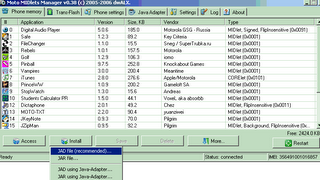
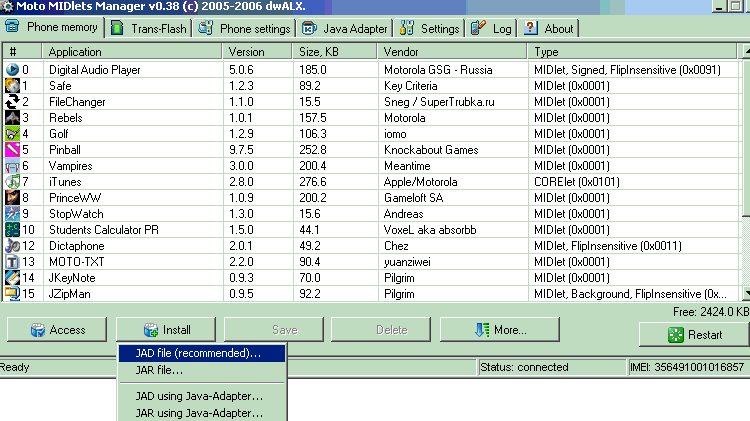
Install using Moto Midlet Manager (MotoMidMan)MotoMidMan is a free software, download and install it. You must also have installed the driver for Motorola P2K phone. By default MotoMidMan will grant full permission for the games/apps installed using MotoMidMan. MotoMidMan is very easy to use, so just download and use it. If your java apps has a jad & a jar file, select install jad file. Otherwise, select install jar file.
If you have a new phone model, you may see
"unsupported platform cant continue" when using motomidman. One possible solution is to check your S/W version, then add the version into "model2" in the motomidman.ini file. For example, your S/W version is R452B_G_08.02_08R. You can add R452B to Mode2 in MotoMidMan.ini file, as follows:
...
Mode2 = R4513 R3511 R479 R47A R4517 R478 R452B
...
screenshot of motomidman:
 Generate JAD file using JADMaker
Most of the java j2me apps packages come with both JAD & JAR file, but some of them have only the JAR file. To generate the JAD file, you can use a program "JADMaker" to do it. Just open JADMaker, then drag the JAR file into the JADMaker's window, the JAD file will be generated in the same location as the JAR file.
More posts about making simple mods to your phone:
P2K file systemHow to install skinsHow to transfer files from computer to phoneDownload:
motomidman version 0.70: [
inbrite.com]
JADMaker: [
inbrite.com]




 since 16/06/2006

